
TL;DR:
- Automation in catering uses technology and AI to reduce manual work, improve accuracy, and increase booking and inventory efficiency. It primarily streamlines booking, billing, and inventory processes, boosting confirmed bookings by 40% and cutting errors by 85%. However, human judgment remains essential for negotiations, last-minute changes, and relationship management.
Automation in catering is defined as the use of technology and AI to reduce manual workload, improve accuracy, and increase throughput across bookings, billing, inventory, and client communications. Food business automation, the recognized industry term for this shift, now covers everything from auto-generated proposals to predictive ingredient ordering. Platforms like HoneyBook, Dubsado, and Infinity Sky AI show what this looks like in practice. The role of automation in catering has moved from a competitive advantage to an operational baseline, with 2026 benchmarks showing 40% more confirmed bookings for businesses that adopt it.
How does automation change catering bookings and quoting?
Booking and quoting are where food business automation delivers its fastest, most measurable wins. When a client submits an inquiry, an automated workflow can pull pricing rules, generate a proposal, and send a follow-up sequence without a coordinator touching the keyboard. That speed converts more leads because clients get answers in minutes, not days.
The numbers back this up. Automation-driven workflows increase confirmed bookings by 40% and cut quoting errors by 85% compared to manual processes. Fewer errors means fewer awkward client conversations about misquoted minimums or missing dietary surcharges.
The real power comes from integration. When booking data flows directly into inventory and staffing systems, your kitchen knows what to order and your scheduler knows who to assign, all before the deposit clears. Tools like Infinity Sky AI handle client follow-ups and reminders timed precisely to event schedules, so your team focuses on the events themselves rather than chasing confirmations.
Here is what a solid automated booking workflow covers:
- Inquiry capture: Web forms feed directly into your CRM with no manual data entry.
- Proposal generation: Pricing rules auto-populate quotes based on guest count, menu selection, and service type.
- Follow-up sequences: Automated emails go out at 24 hours, 72 hours, and one week if a client has not responded.
- Deposit and contract triggers: Once a client accepts, the system sends the contract and payment link automatically.
- Event reminders: Confirmation emails and dietary preference collection happen on a set schedule without staff involvement.
Pro Tip: Spend at least two weeks mapping your pricing rules and menu options before you connect any automation tool. Without that groundwork, the system will speed up your errors instead of eliminating them.
Does automation actually reduce food waste in catering?
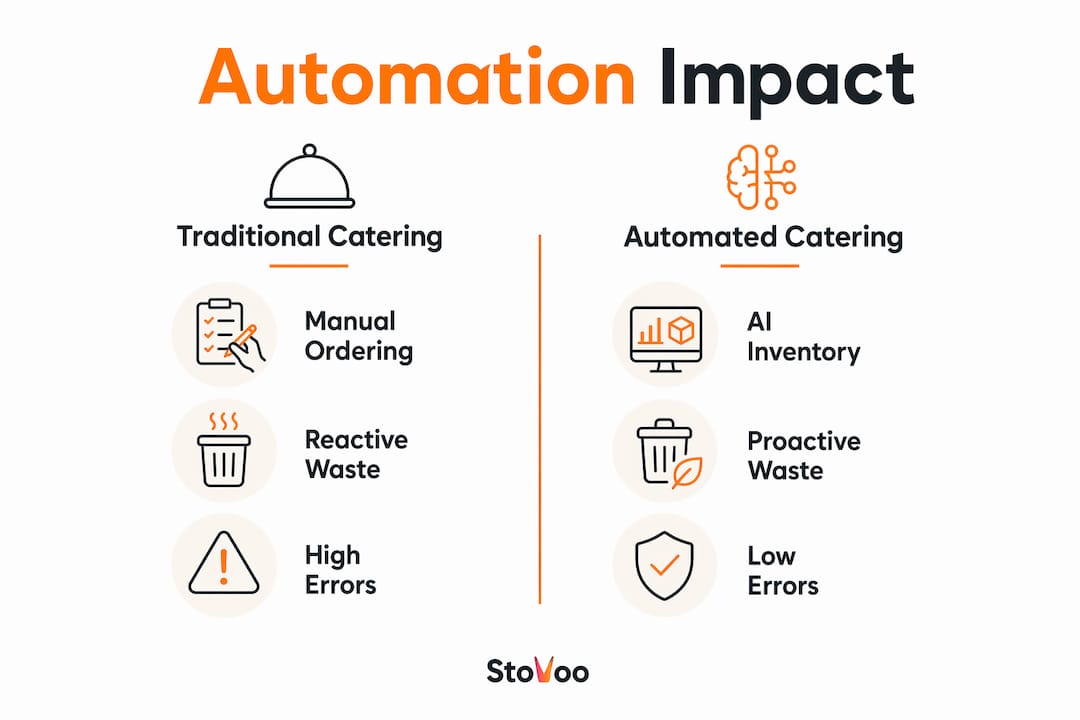
Inventory management is where food business automation steps move from admin convenience to real cost control. Traditional catering kitchens order reactively, buying based on gut feel or last week's numbers. AI-driven systems order predictively, using historical booking data and event schedules to calculate exactly what you need.
The shift from reactive to proactive procurement is the single biggest operational change automation brings to kitchen management. When your system knows you have three corporate lunches and one wedding in the next ten days, it calculates ingredient quantities, flags items approaching their shelf-life limit, and generates purchase orders automatically.
| Factor | Traditional Inventory | AI-Driven Inventory |
|---|---|---|
| Ordering method | Manual, based on estimates | Automated, based on booking data |
| Spoilage detection | Visual check by staff | Predictive shelf-life alerts |
| Purchase orders | Created manually per event | Auto-generated from event schedule |
| Waste rate | High, reactive purchasing | Lower, demand-based procurement |
| Staff time required | Several hours per week | Minimal oversight |
Shelf-life management is the feature most catering operators overlook when evaluating inventory tools. AI trained on your historical data can flag that a protein purchased for a Friday event will expire before a Monday booking, prompting a menu adjustment rather than a write-off. That kind of decision used to require an experienced chef reviewing every walk-in shelf. Now it happens automatically.
AI-powered scheduling systems also connect staffing to inventory, matching labor to event size in real time and tracking labor costs per event. That connection matters because overstaffing and over-ordering often happen together.
Pro Tip: Train your inventory AI on at least six months of historical booking data before going live. Systems with less data will default to conservative estimates and still leave you with gaps.
How to automate billing for a food business
Billing automation is one of the clearest ways to automate food business admin workflows, and the ROI is fast. Automated invoice parsing reduces manual processing time to 30 minutes per batch, cuts data entry errors by 75%, and delivers full return on investment within one quarter. Catering groups using these systems save more than $50,000 annually in operational costs.
The key is sequencing your automation correctly. Start with accounts payable and expense categorization before you attempt bank reconciliation or accounts receivable. This phased approach lets your team build trust in the system's accuracy before handing over more complex financial tasks.
POS integration amplifies these gains on the client-facing side. Digital POS billing reduces order errors by 30–40%, speeds up table turnover by up to 40%, and cuts billing errors by 95%. For catering operations that also run on-site service, those numbers translate directly to faster event wrap-ups and fewer disputes.
Financial automation tools worth evaluating for catering businesses include:
- QuickBooks Online: Handles recurring invoices, expense categorization, and bank feeds with strong restaurant integrations.
- Xero: Offers automated bank reconciliation and connects with POS systems used in foodservice.
- MarketMan: Designed specifically for food businesses, linking invoice processing to inventory and food cost tracking.
- Stovoo: Automates billing for recurring meal plans and catering bookings within a single dashboard built for food operators.
The food business admin automation workflow that works best starts simple. Get your invoices parsed automatically, then layer in expense categorization, then connect to your bank feed. Each step builds on the last and reduces the risk of a costly error in your financial records.
Where does automation fall short in catering?
Automation excels at eliminating repetitive tasks, but no current AI tool reliably handles nuanced pricing negotiations or last-minute event changes without human intervention. That boundary matters. A client calling two hours before a wedding reception to swap the entrée for 40 guests requires judgment, relationship management, and culinary knowledge that no workflow can replicate.
Infinity Sky AI positions automation as support, not replacement, for human expertise. AI eliminates repetitive admin tasks so your team can focus on client relations and kitchen creativity. That framing is accurate and worth holding onto when you are deciding what to automate first.
Scale also determines how much automation makes sense. For operations handling fewer than 15 events per year, a trained front-of-house manager combined with selective AI tools often delivers better cost-efficiency than full automation. The subscription fees, setup time, and staff training required for enterprise automation tools do not pay off at low volume.
The tasks that still require human expertise in catering operations include:
- Complex pricing negotiations with corporate clients or event planners
- Last-minute menu changes driven by dietary emergencies or supplier shortages
- Building long-term trust with repeat clients who expect personal recognition
- Creative menu development and culinary problem-solving on event day
- Managing vendor relationships where negotiation and context matter
Pro Tip: Map every task in your operation to one of two categories: rules-based or judgment-based. Automate the rules-based tasks first. Protect the judgment-based tasks for your best people.
Key takeaways
Food business automation delivers the strongest results when applied to rules-based tasks like booking, billing, and inventory, while human expertise remains non-negotiable for negotiations, creative decisions, and complex client relationships.
| Point | Details |
|---|---|
| Booking automation pays fast | Automated workflows increase confirmed bookings by 40% and cut quoting errors by 85%. |
| Inventory AI reduces waste | Predictive ordering based on historical data shifts kitchens from reactive to proactive procurement. |
| Phase your billing automation | Start with accounts payable before automating bank reconciliation to build accuracy and trust. |
| Scale determines ROI | Operations under 15 events per year often see better returns from selective tools than full automation. |
| Human roles stay critical | Pricing negotiations, last-minute changes, and client relationships require human judgment, not AI. |
What i've learned from watching catering teams automate
The operators who get the most from food business automation are not the ones who buy the most tools. They are the ones who document their processes first. Every time I see an automation rollout struggle, it traces back to the same problem: the team tried to automate a workflow that was not clearly defined to begin with. The system accelerated the chaos instead of replacing it.
The second pattern I keep seeing is the false choice between technology and hospitality. Catering is a relationship business. Clients remember how you handled the moment when something went wrong, not how fast your invoice arrived. The best operators use automation to protect time for those moments. They let the system send the reminders and generate the proposals so their coordinators can spend an extra hour on a walkthrough with a nervous bride or a demanding corporate client.
My honest recommendation is to start with one workflow, run it for 90 days, and measure the result before expanding. Booking confirmation sequences are the best starting point for most catering businesses. They are high-volume, rules-based, and the improvement is immediately visible in your conversion rate. From there, you can build toward catering business profit strategies that connect automation to your revenue model.
The future of AI in catering workflows is not about replacing coordinators. It is about giving coordinators the capacity to manage twice the volume without twice the stress. That is a goal worth building toward.
— freeman
Ready to put your food business on autopilot?
If you are managing catering bookings, meal plans, or recurring orders through WhatsApp threads and spreadsheets, you already know the cost of that system. Every missed follow-up and manual invoice is time you are not spending on the work that actually grows your business.
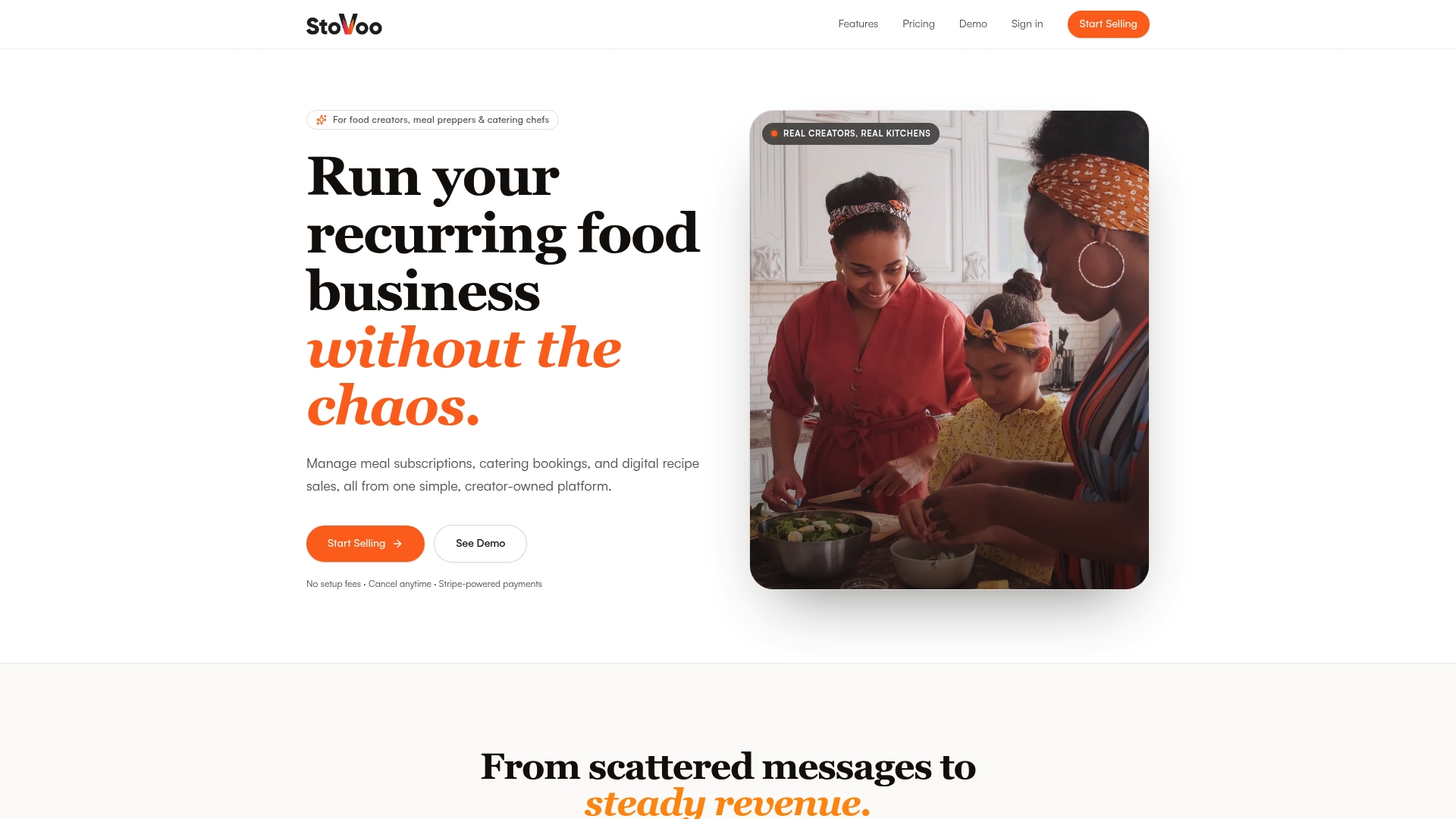
Stovoo is built specifically for food operators who want to move past that chaos. The platform handles automated billing, recurring order management, catering bookings, and customer management from a single dashboard. You get a professional shopfront you can share across any channel, and your clients get a clean, mobile-first experience that builds trust from the first order. See how food businesses on Stovoo's platform are running recurring operations without the admin overload, and set up your own shopfront in minutes.
FAQ
What is food business automation?
Food business automation is the use of software and AI to handle repetitive operational tasks like booking, billing, inventory ordering, and client communications without manual input. The goal is to reduce errors, save time, and increase the volume of work a small team can manage.
How does automation increase catering bookings?
Automated inquiry handling and proposal generation respond to leads faster and follow up consistently, which increases confirmed bookings by 40% compared to manual coordination. Speed and consistency are the two factors that convert more inquiries into paid events.
How do i automate billing for my food business?
Start with automated invoice parsing and expense categorization using tools like QuickBooks Online, Xero, or Stovoo before moving to bank reconciliation. This phased approach builds accuracy and reduces the risk of financial errors during the transition.
Is automation worth it for small catering operations?
For operations handling fewer than 15 events per year, selective automation tools combined with a skilled coordinator often deliver better value than full automation platforms. The setup cost and learning curve of enterprise tools do not pay off at low event volume.
What tasks should catering businesses never automate?
Pricing negotiations with clients, last-minute event changes, and long-term relationship management require human judgment and should stay with your team. No current AI tool handles these reliably without human oversight.