
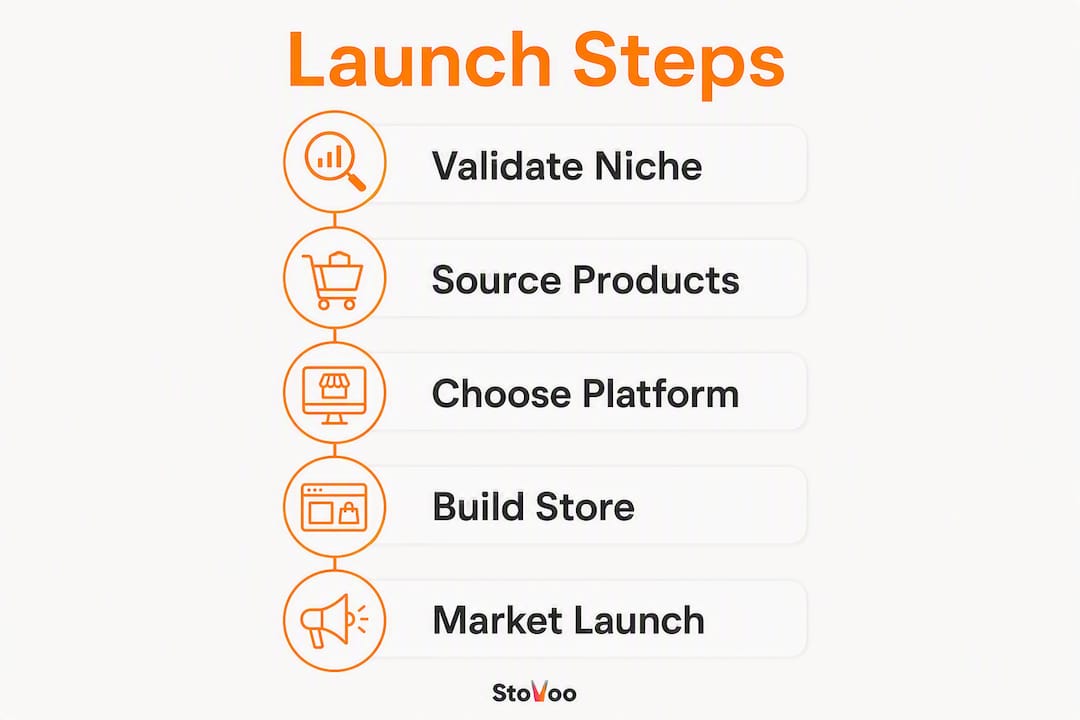
You can start an online store that takes payments and ships orders in weeks by following a focused, step-by-step plan. The sequence is straightforward: pick a niche, choose what to sell, select a platform, build your pages, handle the U.S. legal basics, configure payments and shipping, then launch and market. Starting online costs significantly less than opening a physical location, which means a motivated solopreneur can get a functioning store live without a large upfront investment.
Here is the condensed plan:
- Validate your niche by checking search demand and running a small test before building anything.
- Choose your sourcing model (inventory, dropshipping, print-on-demand, or digital) based on your budget and margins.
- Pick a platform that fits your product type and expected order volume.
- Build product pages with strong photos, benefit-focused copy, and clear calls to action.
- Register your business, get an EIN, and understand your sales tax obligations.
- Configure payments, shipping, and returns before you go live.
- Launch with a checklist, then run your first marketing push within 48 hours.
Realistic timeline: most sellers reach their first sale within 4–8 weeks using dropshipping or print-on-demand. Stocked inventory or food-based businesses typically need 8–12 weeks to source, photograph, and clear any required permits.
Minimum startup costs: a lean launch can come in under $1,000 using a free or low-cost platform plan, a purchased domain, and a small marketing budget. Full launches with inventory and professional photography typically run $2,000–$10,000+.

Your first step today: write down one specific product idea and search it on Google Trends and your target platform's search bar. If people are already looking for it, you have a signal worth chasing.
Pro Tip: Don't wait until everything is perfect. A live store with three products and a working checkout teaches you more in one week than months of planning ever will.

Table of Contents
- How do you choose a niche and validate demand?
- What are your options for sourcing products?
- How do you choose the right platform and sales channels?
- How do you design a brand and build product pages that convert?
- How do you register your business and handle U.S. taxes?
- How do you build the store and test checkout before launch?
- How do you set up payments, shipping, and returns?
- What does your launch checklist look like?
- How do you measure performance and improve after launch?
- What does it actually cost to start an online store?
- What if you sell food, meal plans, or catering?
- Key Takeaways
- The part most guides won't tell you about launching a store
- Stovoo: the faster way for food businesses to sell recurring meals, catering, and recipes
- Useful sources and official links
- FAQ
How do you choose a niche and validate demand?
The most common mistake new sellers make is picking a niche they love rather than one the market actually wants. A good niche sits at the intersection of real demand, manageable competition, and healthy margins. Frame it around a customer problem first: who has the problem, how often does it occur, and what are they currently paying to solve it?
Four filters worth applying before you commit:
- Customer problem clarity: can you describe the buyer's frustration in one sentence?
- Price point viability: does the market support a price that covers your costs and leaves room for profit?
- Supply feasibility: can you source or make the product reliably, at scale, without a single-supplier dependency?
- Repeat purchase potential: consumables, subscriptions, and refillable products build revenue faster than one-time purchases.
Rapid validation techniques that actually work
Keyword demand checks are the fastest signal. Use Google Trends to confirm the search interest is growing or stable, not declining. Then search your product idea directly on your target platform. If competitors have hundreds of reviews, demand exists. If there are zero results, be cautious.
Small paid tests work well too. A $50–$100 Facebook or Instagram ad pointing to a simple landing page with an email capture tells you whether people click and sign up before you build a single product page. Pre-sales and waitlist pages serve the same purpose with zero inventory risk.
Social listening on Reddit, Facebook Groups, and niche forums surfaces the exact language buyers use to describe their frustrations. That language belongs in your product descriptions later.
Pro Tip: Start with one hero product, not a full catalog. A focused single-product store converts better, costs less to build, and gives you clean data on what actually sells before you expand.
A solid business plan that defines product, audience, pricing, and marketing strategy is the foundation every successful store is built on. Validation is how you build that plan on evidence rather than assumptions.
What are your options for sourcing products?
Your sourcing model determines your startup cost, your margins, your fulfillment complexity, and how fast you can launch. There is no universally best option, only the right fit for your situation.
Inventory (buy and hold): you purchase stock upfront and ship it yourself or through a warehouse. Margins are typically the strongest, but you carry the risk of unsold goods and need storage space. Best for sellers who have validated demand and can commit to a minimum order quantity (MOQ).
Dropshipping: your supplier ships directly to the customer. You never touch the product. Startup costs are low and you can test many products quickly, but margins are thinner and you have less control over packaging and shipping times. Best for testing new niches before committing to inventory.
Print-on-demand (POD): a third-party printer produces and ships custom-designed products (apparel, mugs, art prints) only when an order comes in. Zero inventory risk, but per-unit costs are higher and production times vary. Best for creators with a strong brand or design identity.
Digital products: ebooks, courses, templates, and recipe guides have near-zero fulfillment cost after creation. Margins are exceptional. Best for creators with expertise to package and an audience to sell to.
Made-to-order: you produce each item after the order arrives. Common in food, custom jewelry, and handmade goods. Cash flow is clean, but production capacity limits your scale.
Key questions to ask any supplier before committing:
- What is the MOQ, and does it drop with volume?
- What are standard lead times, and how do they change during peak seasons?
- What is the return and defect policy?
- Do you carry product liability insurance?
- Can you provide references or samples before a bulk order?
Pro Tip: Order samples from at least three suppliers before choosing one. The difference in packaging quality, shipping speed, and product accuracy between suppliers at the same price point is often dramatic. For food creators specifically, small-batch co-packers and local commercial kitchens let you test recipes at scale without committing to large production runs. Check out common inventory mistakes food vendors make before you place your first order.
How do you choose the right platform and sales channels?
Platform choice is one of the highest-stakes early decisions, and the wrong one costs you time and money to undo. The decision comes down to three variables: your product type, your expected order volume in year one, and how much technical work you want to manage yourself.
Hosted ecommerce builders (all-in-one platforms with built-in checkout, hosting, and payment processing) are the right starting point for most new sellers. They handle security, updates, and payment compliance so you can focus on products and marketing. Some platforms offer free or low-cost starter plans that include basic storefront features and payment processing, which keeps your launch cost low while you validate demand.
Self-hosted platforms give you more control and lower transaction fees at scale, but require technical setup, hosting management, and plugin maintenance. Better suited to sellers who already have development resources or are scaling past a point where platform fees become significant.
Marketplaces (large third-party selling platforms) give you immediate access to existing buyer traffic, but you compete on price, have limited brand control, and pay selling fees on every transaction. They work well as a supplementary channel, not a primary one.
Social commerce (selling directly through Instagram, TikTok, or Facebook Shops) works best when you already have an engaged following. It is not a reliable primary channel for a brand-new store with no audience.
Local pickup and delivery is worth adding as a channel if you sell perishable or locally made products. It reduces shipping costs and builds community loyalty.
Key platform features to prioritize when evaluating your options:
- Built-in checkout with multiple payment methods (cards, digital wallets, buy-now-pay-later)
- Automated tax calculation for multi-state sales
- Shipping carrier integrations and real-time rate calculation
- Mobile-first themes (more than half of ecommerce traffic arrives on mobile devices)
- App or integration ecosystem for email marketing, reviews, and analytics
- Easy data export so you are not locked in if you switch later
For food businesses specifically, look for platforms that support recurring billing, subscription management, and order windows. A general ecommerce builder may not handle weekly meal plan subscriptions or catering inquiry flows without significant workarounds. Stovoo's platform alternatives guide covers this gap in detail.
How do you design a brand and build product pages that convert?
Your product page is your salesperson. It works 24 hours a day, and it either earns the sale or loses it. Most new sellers underinvest here and wonder why traffic does not convert.
A high-converting product page follows this structure:
- Headline: the product name plus a one-line value proposition (what it does and for whom)
- Hero image: clean, high-resolution shot on a neutral background, minimum 1000px on the long side
- Lifestyle images: 2–3 shots showing the product in real use, ideally with a person
- Detail shots: close-ups of texture, materials, labels, or key features
- Benefit bullets: 3–5 short bullets focused on outcomes, not features ("stays fresh for 5 days" beats "airtight lid")
- Price and variants: clear, prominent, with any volume discounts visible
- Primary CTA: one button, above the fold on mobile, with action-oriented text ("Add to Cart," "Order Now")
- Social proof: star rating and review count near the top, full reviews below
- Shipping and returns summary: one or two lines, near the CTA, not buried in the footer
Photography and copy that actually sell
You do not need a professional photographer to launch. A smartphone with good natural light, a clean background, and a tripod produces images that convert. Shoot in the morning near a window, use a white foam board as a reflector, and take at least 20 shots per product so you have options.
For copy, write your product title the way a buyer would search for it. "Organic Meal Prep Containers, 5-Pack, BPA-Free, 32oz" outperforms "Our Premium Containers" for both SEO and conversion. Meta descriptions should be 150–160 characters and include the primary search term plus a benefit.
Micro-conversion tactics worth adding from day one: a low-stock indicator when inventory is genuinely limited, a clear "free shipping over $X" threshold near the cart, and a one-click return to shopping after adding to cart. These reduce friction without requiring any design work.
Shallow navigation matters too: customers should reach any product in no more than three clicks from your homepage. A cluttered menu or deep category tree kills conversion before the product page even loads.
For food businesses, a professional shopfront built for mobile ordering makes a measurable difference in how many visitors complete a purchase.
How do you register your business and handle U.S. taxes?
This is the step most new sellers delay, and it creates real problems later. Get the legal and tax basics in place before you process significant volume.
- Choose your legal entity. You can start as a sole proprietor with no formal registration, but an LLC separates your personal assets from business liabilities. An LLC is not strictly required to sell online, but it is widely recommended once you are generating consistent revenue. File with your state's Secretary of State office.
- Get an Employer Identification Number (EIN). The IRS issues EINs free of charge through its online application. An EIN is the federal identifier used for business bank accounts, payment processor applications, and tax filings. Even sole proprietors benefit from having one.
- Open a dedicated business bank account. Mixing personal and business finances creates accounting headaches and weakens your liability protection if you have an LLC.
- Register your business with your state. The SBA's business registration guide walks through state-specific requirements. Some states require a DBA (doing business as) filing if you operate under a name different from your legal name.
- Apply for required licenses and permits. Check the SBA's license and permit tool for your state and business type. Food businesses typically need a food handler's permit, a cottage food license (if producing from home), or a commercial kitchen certification depending on state law.
- Understand sales tax obligations. Every state with a sales tax has its own economic nexus threshold. Once you exceed a state's threshold (commonly $100,000 in sales or 200 transactions in a calendar year, though thresholds vary by state), you are required to collect and remit sales tax there. Automated tax calculation tools built into most ecommerce platforms handle this at checkout, but you still need to register in each nexus state. Consult your state's Department of Revenue or a tax professional for your specific situation.
Common questions answered quickly:
Do I need an LLC? Not to start, but it is worth forming once revenue is consistent.
What is an EIN? A nine-digit federal tax ID number issued by the IRS, used for banking, payroll, and tax filings.
How do I handle sales tax for remote sales? Automated tax tools calculate and collect the right amount at checkout. You then remit to each state where you have nexus. This is general information, not tax advice; confirm your obligations with a CPA or your state's revenue department.
How do you build the store and test checkout before launch?
Building the store is where most people spend too much time. Set a deadline: your store does not need to be perfect to launch. It needs to work.
- Register your domain. Choose a name that is short, memorable, and matches your brand. Verify trademark conflicts at USPTO.gov before committing.
- Set up your platform account and choose a clean, mobile-responsive theme. Prioritize readability and fast load times over visual complexity.
- Build your site structure. Homepage, product pages, About, Contact, Shipping Policy, Return Policy, and Privacy Policy are the minimum pages. Keep navigation shallow.
- Add products. Use the product page template from the design section above. Write unique descriptions for every product.
- Configure tax and shipping rules. Set up shipping zones, carrier integrations, and automated tax calculation before you test checkout.
- Connect your payment gateway. Test with a real card and a small transaction before launch.
- Set up abandoned-cart email recovery. Most platforms include this natively. Configure it on day one.
- Install analytics. Google Analytics 4 and your platform's native dashboard give you the baseline data you need from the first visit.
Checkout testing checklist
Testing the full customer journey before launch prevents the most common source of lost early sales: a broken checkout that nobody tells you about.
Run every one of these tests before you go live:
- Complete a purchase with a credit card, a debit card, and a digital wallet (Apple Pay or Google Pay)
- Test shipping rate calculation to multiple states, including states where you have nexus
- Verify tax is calculated correctly for at least three different state destinations
- Confirm order confirmation emails arrive within two minutes of purchase
- Test a coupon or discount code end-to-end
- Place a test order with an international shipping address if you plan to ship globally
- Verify the mobile checkout flow on both iOS and Android
Pro Tip: Ask two or three people outside your household to place test orders and report every point of confusion. Fresh eyes catch the friction you have become blind to after staring at your own store for weeks.
How do you set up payments, shipping, and returns?
Payment setup
Most new sellers start with a third-party payment gateway rather than a full merchant account. Third-party gateways handle PCI compliance, fraud screening, and multi-currency support without requiring a separate merchant account application. Your EIN is typically required during gateway onboarding for tax reporting purposes.
Customers in 2026 expect to pay with credit cards, debit cards, digital wallets (Apple Pay, Google Pay), and increasingly buy-now-pay-later options. Offering fewer than three payment methods measurably reduces conversion, particularly on mobile.
For food businesses managing recurring meal plan subscriptions, look for a gateway that supports recurring billing natively. Manual invoicing through messaging apps does not scale and creates gaps in your customer data. Stovoo's payment setup guide for chefs covers the specific considerations for food sellers.
Shipping strategies
Three pricing models dominate:
- Flat-rate shipping: simple for customers, easy to communicate, works well when your products have consistent weight and dimensions.
- Real-time carrier rates: calculated at checkout based on actual package weight and destination. More accurate, but can surprise customers with high rates on small orders.
- Free shipping above a threshold: the most effective conversion tactic for most stores. Set the threshold slightly above your current average order value to pull customers toward larger carts.
Ecommerce gross margins can look healthy while net margins tighten significantly once shipping and marketing costs are included. Build your shipping cost into your product price rather than absorbing it as a surprise expense.
Fulfillment options by model:
- Self-fulfillment: lowest cost, highest control, limited by your time and physical space.
- Third-party logistics (3PL): you send inventory to a warehouse; they pick, pack, and ship. Scales well but adds per-order fees.
- Local delivery: strong for food businesses. Reduces shipping cost and builds personal customer relationships.
- Hybrid: self-fulfill locally, use a 3PL for national orders. Common for food businesses expanding beyond their metro area.
Returns policy template
A clear, fair returns policy reduces customer anxiety before purchase and reduces disputes after. A workable template for physical goods:
"We accept returns within 30 days of delivery for unused items in original packaging. To start a return, email [your address] with your order number. Refunds are processed within 5 business days of receiving the returned item. Shipping costs are non-refundable unless the item arrived damaged or incorrect."
For food and perishable goods, state clearly that consumable products cannot be returned for safety reasons, but that you will replace or refund any order that arrives damaged or incorrect.
What does your launch checklist look like?
A launch without a checklist is a launch with avoidable problems. Work through this list in order.
- Final QA pass: run the full checkout testing checklist from the build section above.
- Inventory ready: confirm stock levels, packaging materials, and shipping labels are on hand.
- Legal pages live: Privacy Policy, Terms of Service, Shipping Policy, and Return Policy must be published and linked in your footer before you accept a single order.
- Payment gateway active: confirm your account is fully verified and not in a pending state that could hold funds.
- Analytics tracking confirmed: place a test order and verify it appears in your analytics dashboard.
- Email capture active: your welcome email series should trigger automatically for every new subscriber.
- Social profiles linked: your store URL should be in the bio of every social account you plan to use.
Your 30-60-90 day marketing plan
Days 1–30: soft launch with friends, family, and your existing network. Offer a small first-buyer discount (10–15%) to generate initial reviews. Set up one paid ad test with a $5–$10 daily budget on the platform where your audience spends time. Capture every email address.
Days 31–60: publish your first three pieces of organic content (a product demo video, a behind-the-scenes post, and a customer story if you have one). Run a retargeting ad to everyone who visited your store but did not purchase. Start an email welcome series for new subscribers.
Days 61–90: analyze your first 60 days of data. Double down on the channel that produced the lowest cost per acquisition. Reach out to one local business or complementary brand for a cross-promotion. For food businesses, marketing tactics that drive real growth differ meaningfully from general ecommerce playbooks.
Pro Tip: Set up a simple measurement dashboard on day one. Track traffic source, conversion rate, and cost per acquisition (CPA) from your very first ad. Sellers who measure from the start make better budget decisions in month two.
How do you measure performance and improve after launch?
The metrics that matter most in your first 90 days are not vanity numbers. Follower counts and page views feel good but do not pay the bills. Focus on these:
- Conversion rate: the percentage of visitors who complete a purchase. Industry averages vary widely by category, but most new stores start below 2%. Improving this number is almost always more valuable than driving more traffic.
- Average order value (AOV): what the average customer spends per transaction. Bundles, upsells, and free-shipping thresholds all move this number.
- Customer acquisition cost (CAC): total marketing spend divided by number of new customers. Know this number before you scale any paid channel.
- Repeat purchase rate: the share of customers who buy more than once. High repeat rates indicate product-market fit. Low rates signal a product or experience problem.
- Return rate: high return rates on specific products signal a description or quality mismatch. Fix the product page first; fix the product second.
- Gross margin: revenue minus cost of goods sold. Track this per product, not just in aggregate.
Conversion rate optimization checklist
- Add a product video to your top-selling page and measure the conversion lift.
- Reduce the number of form fields in checkout to the minimum required.
- Move your primary CTA button above the fold on mobile.
- Add a trust badge (secure checkout, money-back guarantee) near the CTA.
- Test two different product page headlines using your platform's A/B testing tool or a third-party tool like Google Optimize.
Customer service setup
Respond to every customer inquiry within 24 hours. That single standard separates stores that earn repeat buyers from those that do not. Use templated replies for your five most common questions (shipping status, return requests, product questions, discount inquiries, and order changes) to keep response time fast without sacrificing quality. Tools like Gorgias, Freshdesk, or even a well-organized Gmail inbox with canned responses work at the early stage.
Collect reviews actively. Send a post-purchase email 7–10 days after delivery asking for honest feedback. Reviews are your most cost-effective marketing asset, and they also surface product or fulfillment problems before they become patterns.
What does it actually cost to start an online store?
| Cost Category | Low (lean launch) | Mid (typical launch) | High (full build) |
|---|---|---|---|
| Domain name | $10–$15/year | $10–$15/year | $10–$15/year |
| Initial inventory or samples | — | — | $2,000–$10,000+ |
| Product photography | — | $200–$500 | $500–$2,000 |
| Logo and brand design | — | — | $500–$2,000 |
| Initial marketing budget | $50–$100 | $200–$500 | $500–$2,000 |
| Legal / registration fees | — | $50–$200 (LLC filing) | $200–$500+ |
| Total estimated launch cost | Under $1,000 | $2,000–$10,000+ | $2,000–$10,000+ |
A lean launch can come in under $1,000 using a free or low-cost platform plan, a purchased domain, and a small marketing budget. Full launches with inventory and professional services typically run $2,000–$10,000+.
This corrects the mid (typical launch) column, which previously showed "under $1,000"—the page text and reputable sources only supported under $1,000 for the minimum (lean) launch, while mid/typical launches with inventory or photography should match the $2,000–$10,000+ range per the Network Solutions and Wix guide.
A lean launch can come in under $1,000 using a free or low-cost platform plan, a purchased domain, and a small marketing budget. Full launches with inventory and professional services typically run $2,000–$10,000+.
Timeline to first sale:
- Dropshipping or print-on-demand: 2–4 weeks to launch, first sale possible within days of going live with paid traffic.
- Digital products: 1–3 weeks to create and publish, first sale possible immediately.
- Stocked inventory: 6–10 weeks accounting for supplier lead times, photography, and platform setup.
- Food and meal prep businesses: 8–12 weeks to clear permits, set up recurring billing, and build an initial customer base.
Ongoing monthly costs to plan for: platform subscription, payment processing fees (typically 2.5–3% per transaction), email marketing tool, and your marketing budget. Ecommerce gross margins can look strong while net margins shrink once operating costs are included, so model both scenarios before you commit to a pricing strategy.
Budget priority if funds are limited: pay for your domain and a platform plan first. Everything else, including photography, branding, and marketing, can start at zero with DIY effort and scale up as revenue comes in. Model your startup costs against realistic sales scenarios before committing to large inventory purchases.
What if you sell food, meal plans, or catering?
Food businesses face a layer of complexity that general ecommerce guides skip entirely. The product is perishable, regulated, and often sold on a recurring schedule. That changes almost every decision in the launch plan.
Use-case considerations for food creators:
- Weekly meal plans: require recurring billing, order cutoff windows, and reliable local delivery or pickup logistics.
- Catering orders: need inquiry management, deposit collection, event-date scheduling, and post-event invoicing.
- Digital recipe sales and courses: work like any digital product but benefit from a food-specific audience and brand.
- Live cooking classes and tips: require ticketing, live-stream integration, and tip collection at the point of sale.
When evaluating platforms for a food business, check specifically for:
- Recurring subscription billing with automatic payment retry
- Order window management (e.g., orders close Sunday night for Wednesday delivery)
- Pick-up slot scheduling for local customers
- Customer-owned data so you can communicate directly without platform intermediaries
- Mobile-first shopfront design, since most food orders come from phones
Regulatory requirements for food businesses vary by state and county. At minimum, most sellers need a food handler's certification, and home-based producers typically operate under cottage food laws that cap annual revenue and restrict product types. Check your state's Department of Agriculture and your county health department for the specific permits required before you accept your first food order. The SBA's license and permit tool is a good starting point for identifying which agencies govern your business type.
Labeling requirements for packaged food sold across state lines fall under FDA jurisdiction. At minimum, your label needs a product name, net weight, ingredient list, allergen declaration, and your business name and address. Check the FDA's labeling guidance for your specific product category.
Stovoo is built specifically for this use case. Its centralized dashboard manages meal subscription plans, catering bookings, digital recipe sales, and live class ticketing in one place, with automated billing and a mobile-first shopfront you can share directly from social media or messaging apps. For food entrepreneurs who want to see how ecommerce workflows apply specifically to food vendors, that guide covers the recurring-order mechanics in detail.
Key Takeaways
Starting an online store requires a validated niche, a clear sourcing model, a compliant legal setup, and a tested checkout before you accept your first payment.
| Point | Details |
|---|---|
| Launch cost range | A lean launch costs a modest amount; a full build with inventory typically runs significantly more. |
| Timeline to first sale | Dropshipping and digital products can reach first sale relatively quickly; stocked inventory takes longer. |
| Legal must-dos | Get an EIN from the IRS, register your business with your state, and understand your sales tax nexus obligations before scaling. |
| Test before launch | Run end-to-end checkout tests across multiple payment methods and shipping destinations to prevent lost sales on day one. |
| Stovoo for food businesses | Food creators managing meal plans, catering, or digital recipes benefit from Stovoo's recurring billing, subscription tools, and mobile-first shopfront. |
The part most guides won't tell you about launching a store
The conventional advice is to spend weeks perfecting your store before launch. Pick the right theme, write the perfect copy, get professional photos, and only then go live. That advice sounds responsible. It is actually the most reliable way to waste months building something nobody wants.
The stores that succeed fastest are the ones that launch with the minimum viable version and let real customer behavior drive every subsequent decision. A real customer who abandons your checkout tells you more than any focus group. A product that sells out in 48 hours tells you where to invest your next marketing dollar. A product that gets three visits and zero sales tells you to move on before you order 500 units.
The legal and tax steps are non-negotiable, and they should not be skipped. But the design, the copy, the photography, and even the product selection are all hypotheses until a real person pays real money. Treat them that way.
One more thing: the sellers who build lasting businesses are not the ones who found the perfect niche on the first try. They are the ones who launched fast, listened carefully, and iterated without ego. The first version of your store is not your brand. It is your first experiment. Run it like one.
Stovoo: the faster way for food businesses to sell recurring meals, catering, and recipes
If you sell meal plans, take catering bookings, or want to sell digital recipes and live cooking classes, a general ecommerce platform will leave you patching together workarounds for every core workflow. Stovoo is built from the ground up for food creators who need recurring billing, subscription management, and a professional mobile-first shopfront without the technical headache.
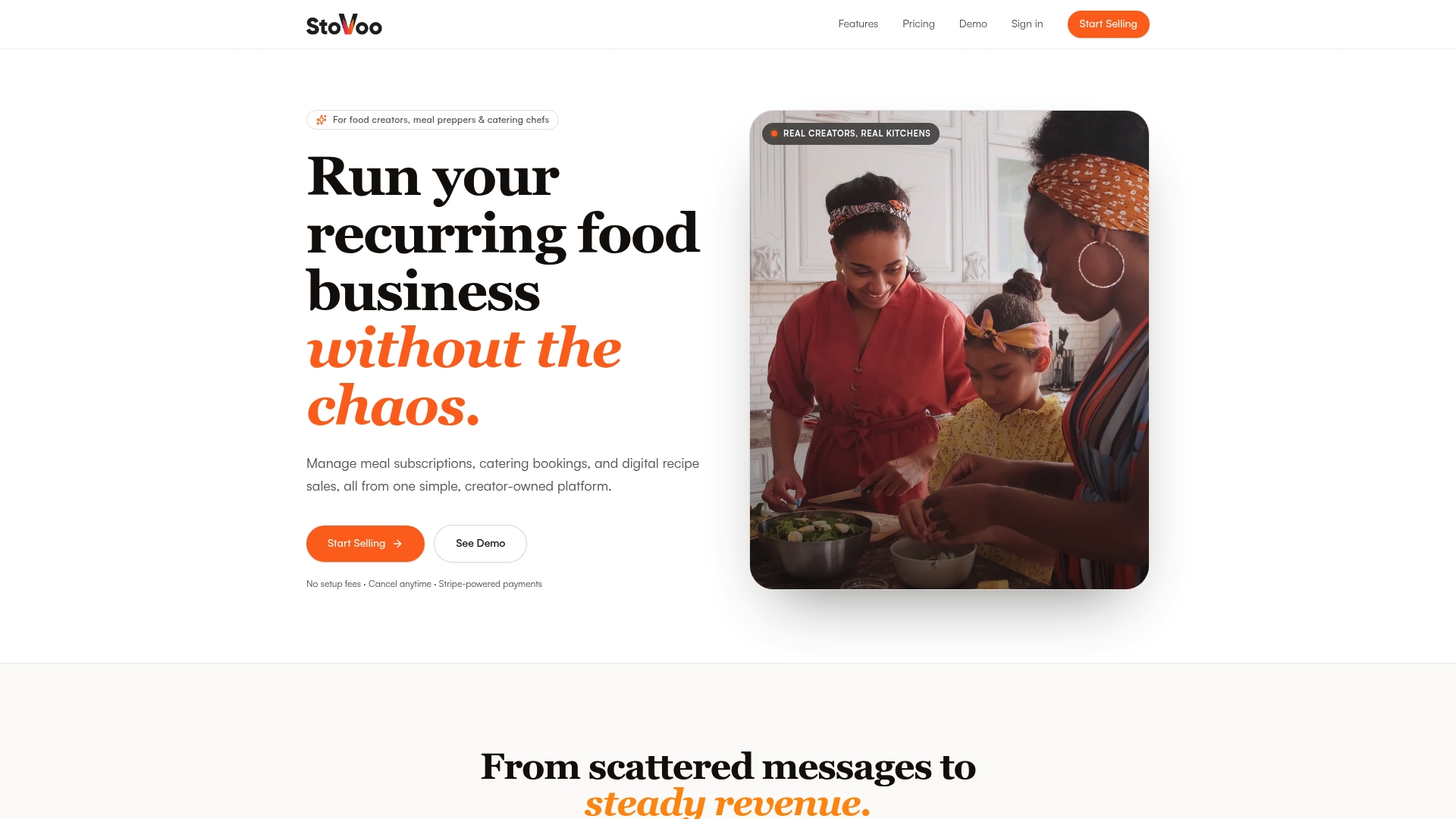
Here is what you get out of the box: a centralized dashboard for meal subscriptions, catering inquiries, digital recipe sales, and live class ticketing; automated billing with payment retry; customer ownership so your data stays yours; and a shareable shopfront link you can drop into Instagram, WhatsApp, or any messaging app in seconds. No spreadsheets, no manual invoicing, no chasing payments.
Stovoo is the right fit for meal preppers running weekly subscription boxes, caterers managing event bookings, and chefs selling recipe ebooks or hosting paid cook-alongs. See a live Stovoo shopfront in action and start your free trial to get your food business taking orders this week.
Useful sources and official links
These are the primary sources worth bookmarking as you work through your launch:
- IRS: Get an Employer Identification Number — apply for your EIN online, free of charge, directly from the IRS.
- SBA: Register Your Business — state-by-state guidance on business registration requirements and entity types.
- SBA: Apply for Licenses and Permits — tool for identifying which federal, state, and local licenses apply to your business type.
- USPTO: Trademark Search — verify that your business name and logo do not conflict with existing trademarks before you invest in branding.
- IRS: Estimated Taxes — guidance on quarterly estimated tax payments for self-employed sellers and small business owners.
- Stovoo: Best Practices for Food Entrepreneurs — practical operations and launch guidance tailored to food vendors.
- Stovoo: Food Entrepreneur Workflow Guide — order management and fulfillment workflows for food businesses.
- PantryHub: Inventory Mistakes Food Vendors Make — a practical guide to avoiding the most costly inventory errors in food businesses.
FAQ
What does it cost to start an online store?
A lean launch using a free or low-cost platform plan, a domain, and a small marketing budget can come in under $1,000. Full launches with stocked inventory and professional services typically run $2,000–$10,000+.
Do I need an LLC for my online store?
An LLC is not required to start selling online, but it is widely recommended for liability protection once you have consistent revenue. Many sellers begin as sole proprietors and form an LLC after their first few months of sales.
Is an online store profitable?
It can be, but gross margins and net margins tell different stories. Gross margins on ecommerce products can be healthy, while net margins often shrink once shipping, marketing, and platform fees are included. Modeling both scenarios before launch sets realistic expectations.
What do I need to open an online store?
At minimum: a validated product idea, a platform account, a domain name, a payment gateway, an EIN from the IRS, and a tested checkout flow. Legal pages (Privacy Policy, Return Policy, Terms of Service) must be live before you accept your first order.
How does Stovoo help food businesses sell online?
Stovoo gives food creators a centralized dashboard to manage meal subscriptions, catering bookings, digital recipe sales, and live class ticketing, with automated billing and a mobile-first shopfront that is ready to share the same day you sign up.