
TL;DR:
- Effective meal order management involves using centralized systems and a clear workflow to reduce errors and increase efficiency. Planning 3 to 5 meals weekly with built-in flexibility helps maintain consistency without burnout. Small businesses should gradually adopt digital tools, ensuring proper training and process review to prevent common pitfalls.
Organizing meal orders is the process of coordinating meal planning, tracking, and delivery through structured systems that reduce errors and save time. Whether you're a home meal prepper using apps like Plan to Eat or a catering business managing dozens of weekly orders, the core challenge is the same: too many moving parts and not enough structure. The right meal order management approach cuts through that chaos. This guide covers the tools, workflows, and strategies that work for both individuals and food businesses in 2026.
How to organize meal orders with the right tools and systems
The most effective meal order management starts with choosing the right technology for your scale. For individuals, meal planning apps like Plan to Eat and MealTrain reduce decision fatigue by centralizing recipes, shopping lists, and weekly schedules in one place. For businesses, the stakes are higher. Unified order management systems cut order error rates to 3–5% compared to 12–18% with multiple disconnected devices. That gap represents real money and real customer trust.

Manual methods, such as spreadsheets and WhatsApp threads, work at very small scale. Once you're managing more than 10 orders per week, manual tracking creates bottlenecks and missed items. Digital systems win on accuracy, speed, and the ability to scale without adding headcount.
Here's a quick comparison of common tools by use case:
| Tool | Best for | Key strength | Limitation |
|---|---|---|---|
| Plan to Eat | Individual meal preppers | Recipe import, drag-and-drop planning | No business order management |
| MealTrain | Families and groups | Shared meal coordination | Limited to personal use |
| Google Sheets | Small businesses starting out | Free, flexible | Manual updates, error-prone |
| Stovoo | Food creators and small businesses | Subscriptions, billing, customer management | Built for recurring food businesses |
Pro Tip: Before adopting any new tool, audit your current process for one week. Write down every step you take to receive, confirm, and fulfill an order. You'll spot the exact bottleneck before you spend a dollar on software.
How to create a structured meal order workflow
Effective order management is the operational backbone of any food business. It shifts you from reactive firefighting to proactive workflow. The same principle applies to serious meal preppers who want to stop scrambling every Sunday afternoon.
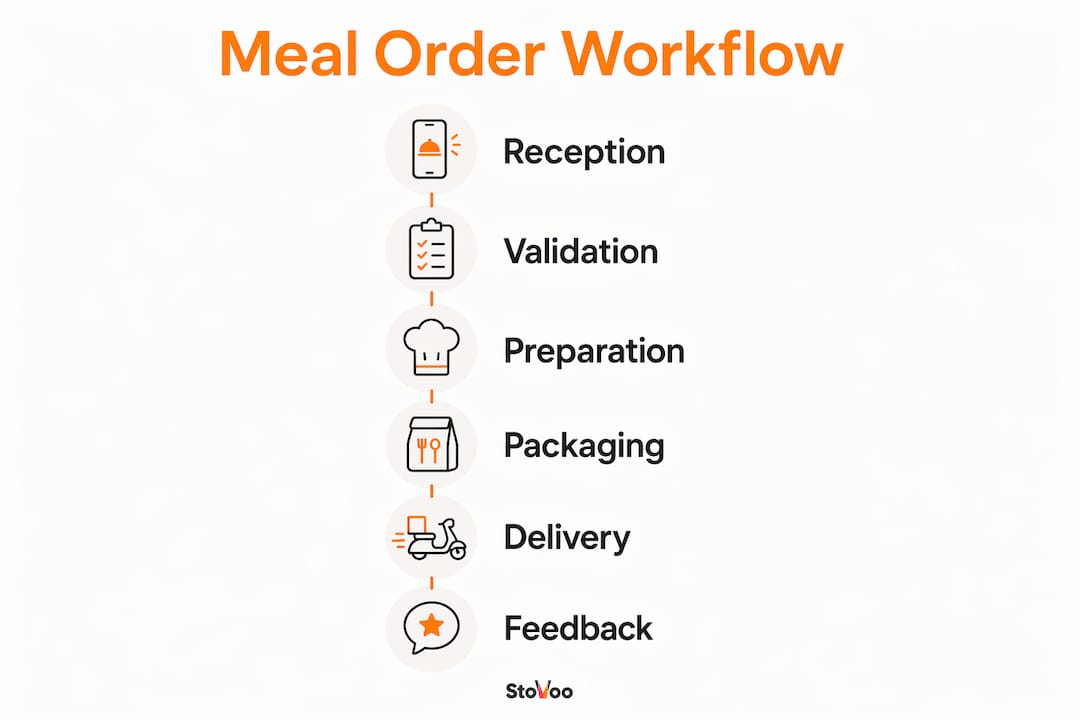
A proven kitchen order management workflow runs through six timed stages:
| Stage | Action | Average time |
|---|---|---|
| Reception | Receive and log the order | 30 seconds |
| Validation | Confirm items and customer details | 30 seconds |
| Prioritization | Rank by deadline or complexity | 1–2 minutes |
| Preparation | Cook and assemble the order | 8–15 minutes |
| Finalization | Package and label correctly | 2–3 minutes |
| Delivery | Hand off or dispatch | 5 minutes |
This 7-step timed process improves throughput by giving every team member a clear role at each stage. When everyone knows what "ready" means, cold food complaints drop and coordination improves.
For individual meal preppers, the same logic applies on a weekly scale. Set a fixed prep day, assign time blocks to each recipe, and treat your kitchen like a one-person production line. Batch similar tasks together: all chopping first, then all cooking, then all portioning.
Pro Tip: Use a unified order tracker, whether a shared Google Sheet, a whiteboard, or a dedicated app, to synchronize actions across your team or your weekly prep schedule. Visibility is the fastest fix for missed steps.
What strategies reduce meal order errors and build flexibility?
Flexibility is not the enemy of structure. Flexible meal plans with scheduled "flex nights" prevent burnout and improve adherence. Experts recommend planning 3–5 dinners per week rather than all seven. That buffer absorbs the unexpected without derailing the whole system.
For businesses, the biggest source of errors is menu inconsistency across platforms. A menu audit before integrating multiple delivery channels prevents order errors and missing items. Automatic syncing of unavailable items stops customers from ordering dishes you can't fulfill. That one fix alone eliminates a significant category of complaints.
Here are the most common meal order mistakes and how to avoid them:
- Over-planning from scratch every week. Build a rotating library of 15–20 tested recipes and pull from it. Starting fresh each week wastes time and increases the chance of choosing meals you won't actually make.
- Ignoring menu consistency across channels. If your menu lives in three places, it will be wrong in at least one. Use a single source of truth and sync outward.
- Skipping demand forecasting. Real-time analytics from integrated systems support better scheduling and reduce food waste. Even a simple weekly sales review tells you which meals to keep and which to cut.
- Adopting new software during peak hours. Test new platforms during off-peak hours first. Parallel testing before full deployment prevents peak-time failures that cost you customers.
How do individual meal preppers and food businesses differ?
The goals are similar but the execution is very different. Individual meal preppers focus on reducing grocery complexity and saving time. Food businesses focus on order accuracy, channel management, and customer retention.
For individuals, the most powerful technique is ingredient overlapping. Choosing meals that share 2–3 core ingredients, like roasted chicken that becomes a grain bowl and a wrap, simplifies shopping and cuts prep time significantly. You can explore more practical techniques in this guide on meal prepping efficiency.
For businesses, the priorities shift to multi-channel consolidation and delivery scheduling. A catering operation taking orders through Instagram DMs, a website form, and phone calls is running three separate systems. That fragmentation is where errors live. Centralizing those channels into one dashboard is the single highest-impact change a small food business can make.
Key differences at a glance:
- Volume: Individuals plan 3–5 meals per week. Businesses may manage 50–500 orders per week.
- Channels: Individuals use one or two apps. Businesses manage websites, social media, and third-party delivery platforms simultaneously.
- Billing: Individuals track personal budgets. Businesses need automated invoicing and subscription management.
- Customer data: Individuals have no CRM needs. Businesses must own their customer relationships to build recurring revenue.
Pro Tip: If you're a home cook scaling into a food business, start applying business practices early. A simple order log and a consistent menu rotation will save you from rebuilding your system under pressure when orders start growing.
What are the common pitfalls when organizing meal orders?
Order mix-ups, miscommunication, and technology adoption hurdles are the three most common failure points in meal order management. Each one has a clear fix.
Order mix-ups happen when labeling is inconsistent. Visual tracking systems like "To-Do, In-Progress, Ready" reduce cold food complaints and improve team coordination. Label every order at every stage. A sticky note system works. A digital board works better.
Miscommunication between front-of-house and kitchen teams causes delays and wrong orders. Clear protocols matter more than any software. Define who confirms an order, who starts preparation, and who marks it complete. Write it down and train everyone on it.
Technology adoption hurdles are real, especially for small teams. The fix is gradual rollout. Introduce one new tool at a time, train during slow periods, and measure the impact before adding the next layer.
A quick reference checklist for daily meal order management:
- Confirm all orders received before prep begins
- Validate customer details and special requests at intake
- Check menu availability before accepting new orders
- Label every order with name, time, and special notes
- Review completed orders against the original before dispatch
"The best meal order systems are the ones your team actually uses. A perfect system nobody follows is worse than a simple one everyone does."
For catering businesses planning large events, getting the timing right from the start matters enormously. Resources like holiday catering planning guides offer practical timelines for scaling up order management well in advance.
Key takeaways
Organizing meal orders effectively requires a unified system, a structured workflow, and the flexibility to adapt without losing consistency.
| Point | Details |
|---|---|
| Use unified tools | Consolidated order systems cut error rates from 18% down to 3–5%. |
| Follow a timed workflow | A six-stage process from reception to delivery improves throughput and reduces mistakes. |
| Build in flexibility | Plan 3–5 meals per week with flex nights to maintain adherence without burnout. |
| Overlap ingredients | Sharing 2–3 core ingredients across recipes reduces grocery complexity and prep time. |
| Test before deploying | Always run new order management tools during off-peak hours before full rollout. |
What I've learned from watching food businesses get this wrong
Most meal order problems are not technology problems. They're process problems wearing a technology costume. I've seen food entrepreneurs buy expensive software and still run their orders through WhatsApp because nobody changed the underlying habit. The tool didn't fail. The transition did.
The businesses that get this right share one trait: they treat their meal order system as a living document. They review it monthly, cut what doesn't work, and add structure only where chaos actually exists. They don't over-engineer a system for 500 orders when they're handling 30.
For individuals, the same lesson applies. Structured weekly meal planning reduces mealtime stress for 73% of families who use it consistently. That stat is compelling, but the reason it works is simpler than any app: a plan removes the daily decision. You stop asking "what's for dinner?" and start executing.
The best advice I can give is to start with the smallest possible system that covers your actual volume. Add complexity only when you hit a real bottleneck. Meal plans are a flexible guide, not a rigid contract. That mindset keeps you consistent when life gets unpredictable, and it keeps your customers happy when your business gets busy.
— freeman
How Stovoo helps you manage meal orders without the chaos
Running a food business through scattered messages and manual spreadsheets costs you time and customers. Stovoo is built specifically for food creators, meal preppers, and catering chefs who want to take control of their orders without the admin overload.
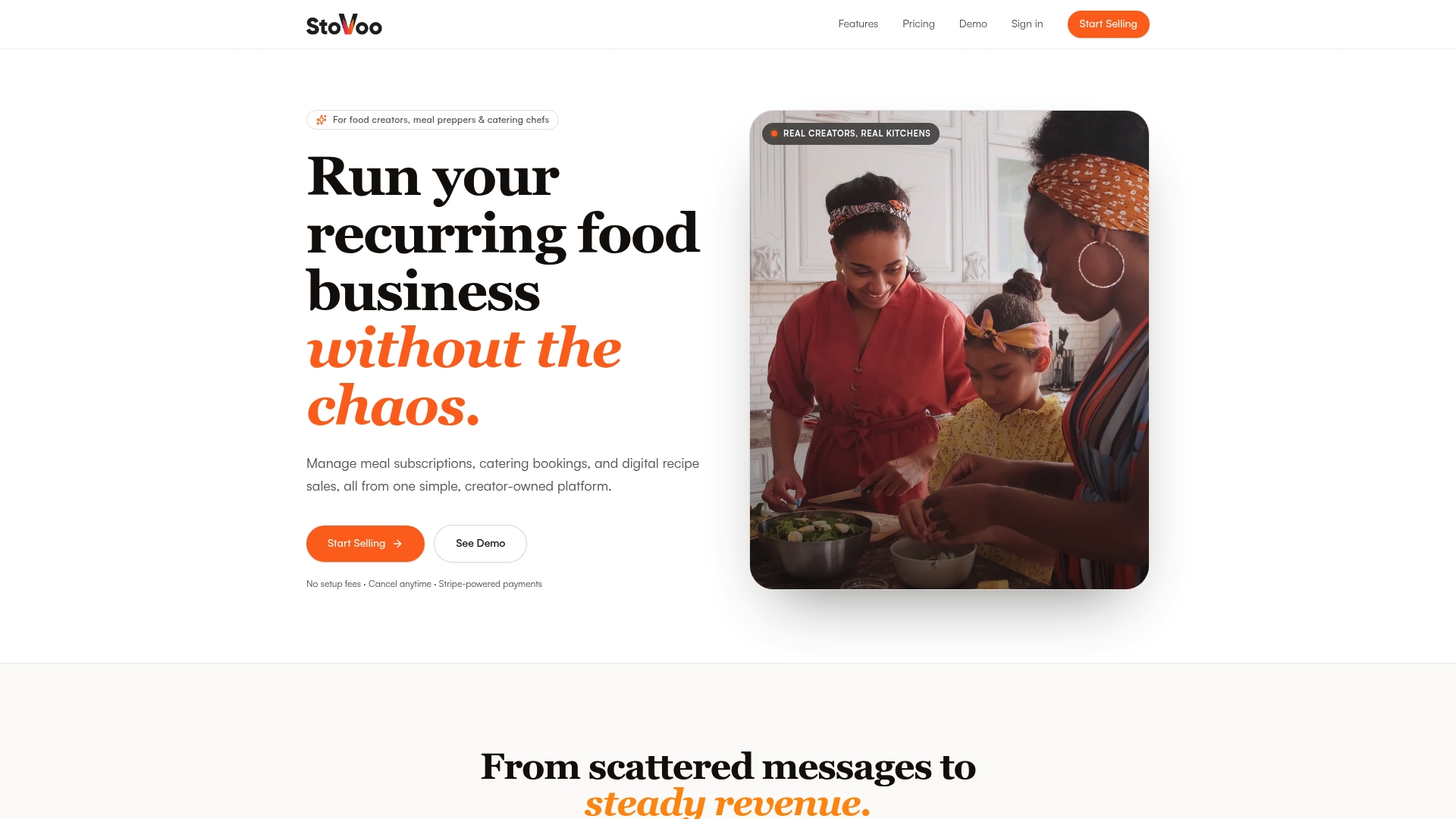
With Stovoo, you get a centralized dashboard that handles meal subscription plans, catering bookings, customer management, and automated billing in one place. You set up your professional shopfront in minutes, share the link across your social channels, and start accepting recurring orders immediately. No more chasing payments or losing track of who ordered what. See how food businesses like Culater Catering's in Lagos are already using Stovoo to build steady, recurring revenue with far less friction.
FAQ
What is the most effective way to organize meal orders?
The most effective approach combines a unified order management system with a structured six-stage workflow covering reception, validation, prioritization, preparation, finalization, and delivery. Digital tools that consolidate all order channels into one dashboard reduce error rates to 3–5%.
How many meals should I plan per week to stay consistent?
Planning 3–5 dinner meals per week with at least one flex night is the recommended starting point. This structure reduces decision fatigue while leaving room for schedule changes without abandoning the plan entirely.
What is the difference between meal prepping and meal order management?
Meal prepping refers to preparing food in advance for personal consumption, typically for the week ahead. Meal order management is the broader operational process businesses use to receive, track, fulfill, and deliver customer orders across multiple channels.
How do I reduce order errors in a food business?
Conduct a menu audit before connecting multiple delivery platforms, enable automatic syncing of unavailable items, and use a visual tracking system like "To-Do, In-Progress, Ready" to monitor every order through each stage of preparation.
When should I switch from manual to digital order management?
Switch to a digital system when you're consistently managing more than 10 orders per week or when manual tracking causes missed items or delays. Always test new platforms during off-peak hours before running them during busy service periods.