
Run your food business from one dashboard. Centralize customers, subscriptions, bookings, and payments in a single SaaS platform configured for automated tax and invoicing — that is the fastest path from scattered DMs and spreadsheets to predictable, recurring revenue.
Get started in the next 24–72 hours:
- Create a professional shopfront with your meal plans, catering packages, or digital recipes listed
- Connect Stripe as your payment processor and enable Stripe Tax for automated sales tax calculation across states
- Set deposit invoices for catering bookings (25–50% non-refundable, per Novo's invoicing guidance)
- Tag every bank deposit with its invoice number so reconciliation takes minutes, not hours
- Register for a seller's permit in states where your digital recipe sales create nexus, per Scale CPA's digital product tax guidance
Key Takeaways
A single SaaS dashboard configured for subscriptions, deposits, automated tax, and invoice metadata is the operational foundation every U.S. food creator needs before scaling revenue.
| Point | Details |
|---|---|
| Centralize from day one | Move bookings, subscriptions, and payments into one dashboard before you take a second client. |
| Use the two-invoice deposit flow | Send a 25–50% deposit invoice at booking and a final invoice within 48 hours post-event. |
| Enable tax automation immediately | Stripe Tax handles multi-state calculation; digital recipe sales carry different nexus rules than food. |
| Tag every bank deposit | Include invoice numbers in payment metadata so reconciliation takes minutes, not hours. |
| Stovoo as your platform | Stovoo covers shopfront, subscription billing, deposit invoices, and Stripe integration in one dashboard. |
Table of Contents
- What does customer management actually cover for food creators?
- How to set up your customer management system in 30–60 minutes
- Payments, settlement timing, and U.S. sales tax compliance
- How to invoice catering and corporate clients correctly
- Operational workflows for subscriptions, catering events, and digital recipes
- How do integrations stop you from losing money in reconciliation?
- How do you choose the right SaaS for your food business?
- What separates the food businesses that actually scale?
- Stovoo gives you the full setup in one place
- Sources
- FAQ
What does customer management actually cover for food creators?
This guide covers the operational layer that runs between you and your paying customers: storefronts, subscription billing, booking rules, invoice workflows, digital product delivery, customer records, communication automations, and basic analytics. It does not cover dine-in front-of-house service, kitchen staffing systems, or point-of-sale hardware for restaurants.
Included in scope:
- Storefront and plan management (meal plans, catering packages, recipe downloads)
- Subscription billing with dunning and renewal reminders
- Booking rules, deposit handling, and cancellation policies
- Invoice creation and payment-link delivery
- Digital product delivery and license terms
- Customer records, notes, and communication history
- Automated email and SMS confirmations, reminders, and follow-ups
- Revenue reporting and customer lifetime value tracking
Why does this matter operationally? Subscription billing creates predictable cash flow. Deposit rules cut no-shows. Automated reconciliation saves hours every month. Selling through Instagram DMs does not change your state tax obligations — moving to a proper shopfront just makes compliance automatic instead of manual.
How to set up your customer management system in 30–60 minutes
This checklist gets you to a minimally viable setup before your next booking or subscription cycle.
- Create your shopfront (10 min): Add your business name, logo, and contact info. Publish at least one product — a meal plan tier, a catering inquiry form, or a recipe download.
- Add products and plans (10 min): Configure pricing, delivery cadence for subscriptions, or event-date availability for bookings. Set minimum order quantities where relevant.
- Connect your payment processor (5 min): Link Stripe. Enable card payments immediately; add ACH for clients who prefer bank transfer on larger deposits.
- Turn on tax automation (5 min): Enable Stripe Tax or your platform's built-in tax toggle. Select your nexus states. This single step covers most U.S. compliance risk for digital and food sales.
- Configure booking rules (10 min): Set deposit percentage (start at 25–50%), define your cancellation window, and write a short non-refundable clause.
- Create your first invoice template (10 min): Include your legal business name, EIN, a unique invoice number field, itemized line items, tax line, and accepted payment methods.
Start with subscriptions or bookings — they generate predictable cash flow from day one. One-off digital sales are easier to add later once your billing and tax setup is confirmed.
Pro Tip: Before going live, run a test booking end-to-end: place a $1 deposit, confirm the invoice number appears in the payment metadata, check that the bank deposit description includes that invoice number, and verify the tax line calculated correctly. Fix any gaps before your first real client pays.
Payments, settlement timing, and U.S. sales tax compliance
Payment method choice affects both your cash flow and your reconciliation workload.
- Card payments: settle in 1–2 business days, carry fees typically around 2.9% + $0.30 per transaction, and work best for subscriptions and smaller deposits
- ACH bank transfer: lower fees, but settlement takes 3–5 business days — suitable for large catering deposits where the client has lead time
- Wire transfer: fastest for large corporate deposits; confirm your bank's incoming wire instructions and include them on every high-value invoice
- Payment links: embed a clickable link directly in your invoice PDF or email so clients pay without logging into a portal
Always include the invoice number in the payment description field. When Novo or your business checking account receives an ACH credit, a generic "ACH CREDIT" description tells your accountant nothing. An invoice-tagged deposit matches automatically.
On sales tax: Scale CPA notes that digital recipe and course sales often fall into a different taxable category than prepared food, and classification varies by state. Selling via DMs or social channels does not reduce your liability — the seller's state rules govern. Stripe Tax automates calculation and collection across U.S. states, reducing the manual work of tracking nexus thresholds as your revenue grows.
Register for a seller's permit in every state where you have nexus. For digital products, economic nexus thresholds (often $100,000 in sales or 200 transactions) can trigger registration obligations even without a physical presence. Use platform tax automation to lower audit risk — this is operational guidance, not tax advice; consult a CPA for your specific filing obligations.
How to invoice catering and corporate clients correctly
The two-invoice flow is the standard for catering: a deposit invoice at booking and a final invoice after the event.
Required fields on every invoice:
- Legal business name and EIN (or SSN for sole proprietors)
- Client billing contact name and address
- Unique invoice number (sequential, never reused)
- Itemized line items with unit price and quantity
- Jurisdictional sales tax line (calculated separately)
- Subtotal, tax, and total
- Payment terms (Net 15, Net 30, or Due on Receipt)
- Accepted payment methods and remit-to instructions
Sample catering line items:
Deposit invoice: Send at booking confirmation. Per PulseRevOps catering benchmarks, scaling caterers commonly use a 40–50% deposit at signing with final guest count locked 7–14 days before the event.

Final invoice: Send within 48 hours post-event. Apply the deposit as a credit line, add any adjustments (guest count changes, additional rentals), and state the balance due. See the complete catering workflow guide for BEO preparation and event-day checklist steps.
Use Net 15 for new clients and Net 30 for established corporate accounts. Require Due on Receipt for any client with a prior late payment.
Pro Tip: Include both a clickable ACH payment link and wire instructions on every invoice above $2,000. Large clients often prefer wire for internal approval workflows, and giving them both options removes the most common reason for payment delays.
Operational workflows for subscriptions, catering events, and digital recipes
Each product type runs a distinct automation sequence.
Meal subscription workflow:
- Customer signs up and authorizes recurring payment
- Automated confirmation email with delivery schedule and swap/skip instructions
- Pre-delivery reminder (SMS, 24 hours out) with dispatch notification and tracking link
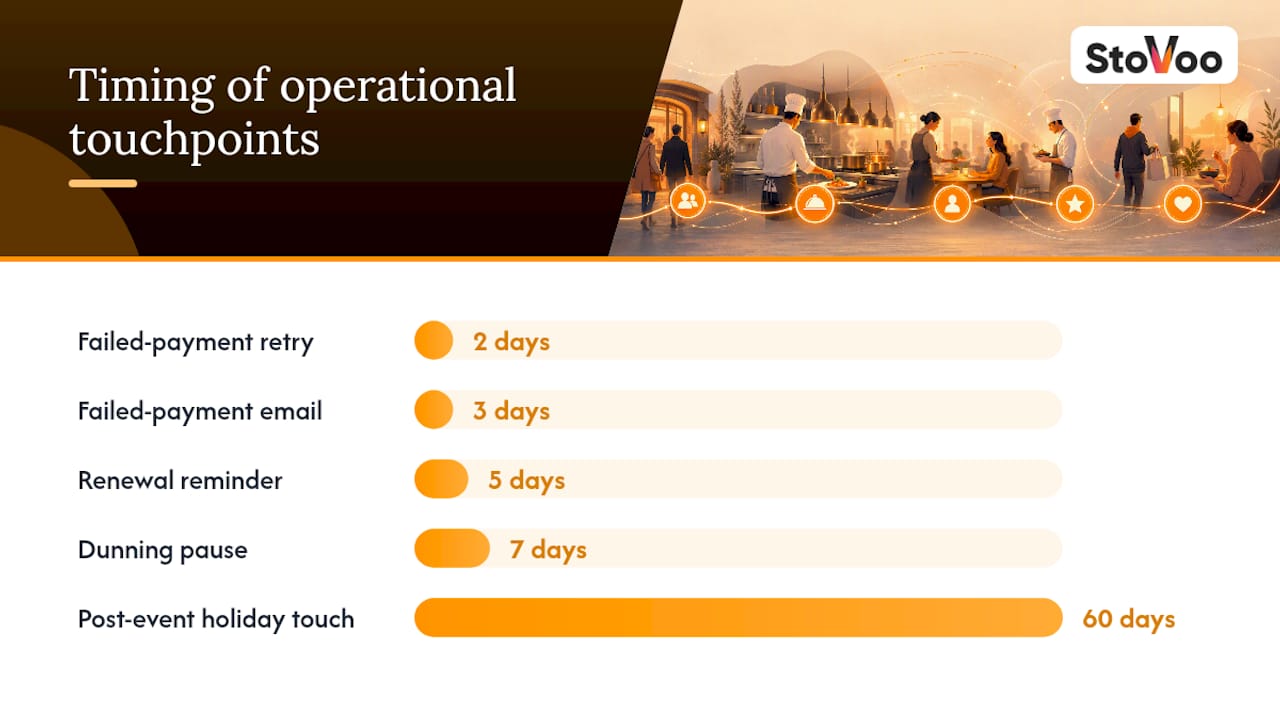
- Failed payment triggers dunning sequence: retry on day 2, email on day 3, pause on day 7
- Renewal reminder 5 days before cycle end with an upsell prompt (add a protein upgrade, add a family plan)
Catering booking workflow:
- Inquiry received → proposal sent within 24 hours
- Deposit invoice sent → payment confirmed → event locked in calendar
- Final guest count confirmed 7–14 days out
- Event execution → final invoice sent within 48 hours
- Post-event nurture: thank-you email (day 3), holiday touch (60 days), corporate pitch (6 months)
That nurture sequence matters. A structured post-event flow can convert one-off clients into repeat corporate bookings at significantly higher lifetime values, per the PulseRevOps GTM playbook. Assign a specific owner to post-event follow-up — it rarely happens by default.
Digital recipe and course delivery:
- Configure geographic tax rules before publishing (state-level digital goods tax varies)
- Deliver via secure, time-limited download link or gated course access
- Include license terms (personal use only vs. commercial license)
- State your refund policy clearly at checkout — digital goods refunds are discretionary but should be defined
How do integrations stop you from losing money in reconciliation?
Manual reconciliation is where food businesses quietly lose hours every week. The fix is connecting payment metadata to your bank feed and accounting software from day one.
Essential integrations to enable:
- Bank feed tagging (Novo or your business checking) with invoice-level deposit descriptions
- Accounting sync (QuickBooks or equivalent) pulling transaction data automatically
- Payment processor webhook logs that include invoice IDs in every transaction record
- CSV export for event-level P&L and BEO cost tracking
| Problem | Integration | Outcome |
|---|---|---|
| Unidentified ACH deposit | Payment processor metadata with invoice ID | Deposit matched to booking automatically |
| Duplicate manual entry | Accounting sync via webhook | Single source of truth, no re-keying |
| Unearned deposit spent early | Separate deposit account (Novo) | Cash flow protected until event executes |
| Event P&L unknown | CSV export per booking | Margin visible per event |
Treat deposits as liabilities until the event executes. A separate deposit account in Novo keeps that cash ring-fenced and makes your rolling cash forecast accurate. For more on connecting online catering orders to your accounting flow, the Stovoo operations guide covers the full reconciliation setup.
Pro Tip: Require that your payment processor pushes invoice-level metadata into your business checking account description field. "INV-2047 DEPOSIT" is reconcilable in seconds. "ACH CREDIT 00291847" costs your accountant 20 minutes per transaction.
How do you choose the right SaaS for your food business?
The right platform handles your specific product mix without requiring you to bolt together five separate tools.
Must-have criteria:
- Built-in subscription billing with proration, dunning, and cadence flexibility
- Booking rules with configurable deposit percentages and cancellation policies
- Integrated tax automation (or direct Stripe Tax connection)
- Invoice generation with payment links and unique invoice numbering
- Accounting integration (QuickBooks sync or CSV export)
- Mobile-friendly shopfront you own and control
- Customer data export in a standard format
Red flags to watch for:
- No tax automation — you will manage nexus manually across every state you sell into
- Deposit handling is a workaround, not a native feature
- Invoice metadata does not pass to bank deposits
- No dunning for failed subscription payments
- No LTV or churn reporting
Questions to ask during any demo:
- How does the platform handle multi-jurisdiction sales tax for digital products?
- Where does customer data live, and can I export it in full at any time?
- Does the payment processor push invoice IDs into bank deposit descriptions?
- How are refunds and cancellations processed, and do they update the customer record?
For early-stage businesses, prioritize tax automation, deposit handling, and a clean shopfront. Reporting and advanced dunning matter more once you have 50+ active customers. See the catering operations guide for a practical checklist on moving from spreadsheets to software.
What separates the food businesses that actually scale?
The operators who grow past the "busy but broke" stage share three habits that most guides skip entirely.
First, they move deposit and booking management out of WhatsApp and into a single customer record the moment they take a second client. Not eventually — immediately. The cost of a missed deposit or a double-booked date is always higher than the cost of the software.
Second, they assign post-event nurture to a specific person with a specific date. A thank-you email three days after a wedding, a corporate pitch six months later — these are scheduled tasks, not good intentions. The caterers who convert one-off events into recurring corporate accounts treat follow-up as a workflow, not a personality trait.
Third, they re-cost their signature menus quarterly. Ingredient prices shift, and a menu priced in January can quietly destroy margin by April. The catering pricing guide on the Stovoo blog walks through the margin math in detail.
Stovoo gives you the full setup in one place
Stovoo is built specifically for food creators, meal preppers, and catering chefs who need a professional shopfront, automated billing, and real customer records — without stitching together separate tools for invoicing, tax, and payments.
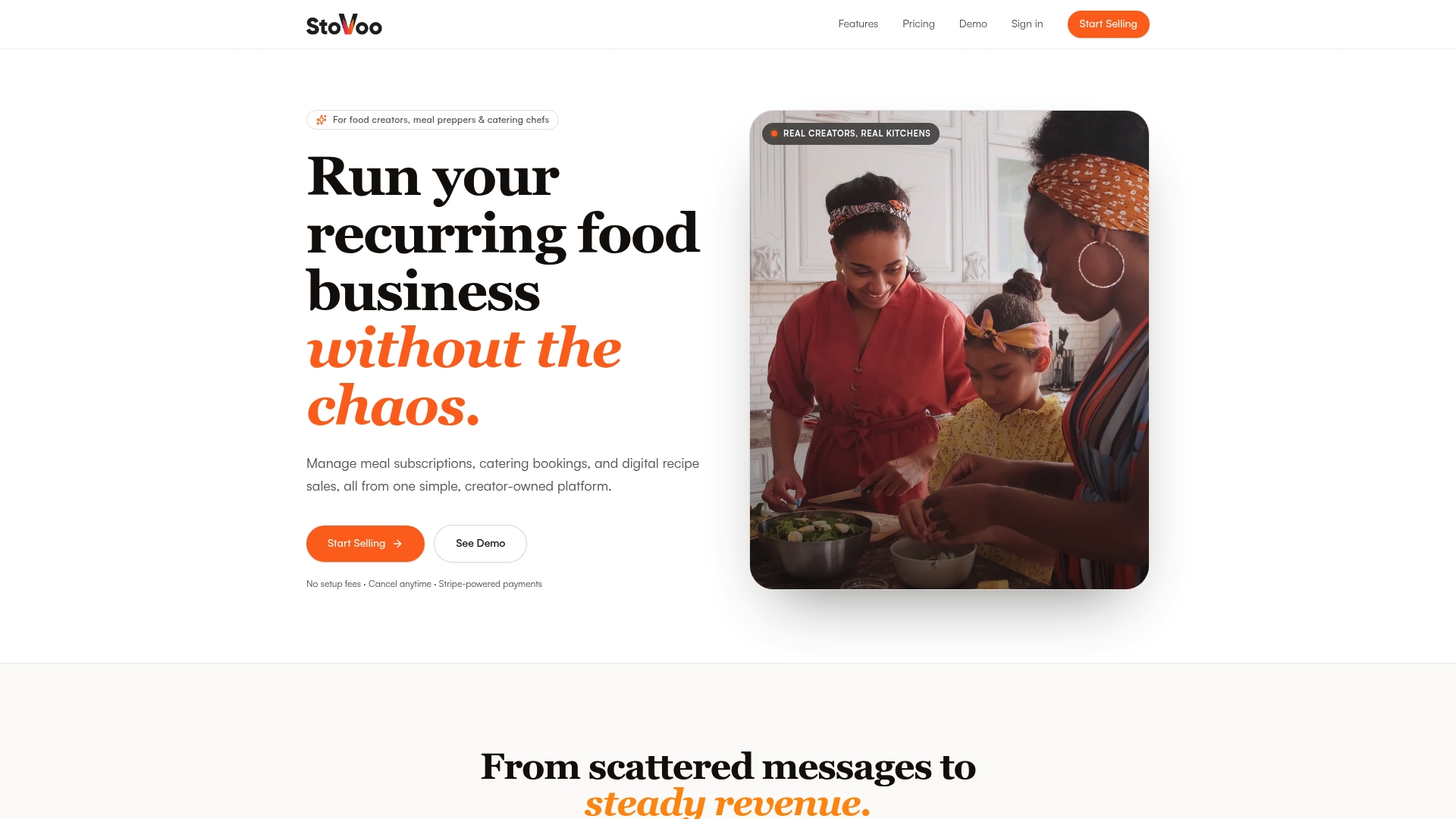
The platform covers every layer of this guide: subscription billing with dunning, catering bookings with configurable deposit rules, digital recipe delivery, Stripe payment integration, and a mobile-first shopfront you share as a single link. Tax automation connects through Stripe Tax. Customer records stay in your dashboard, exportable any time. See a live vendor storefront to understand what your customers experience from day one.
Create your Stovoo account and run your first test booking end-to-end today.
Sources
- Digital Product Sales Tax Treatment and Accounting Methods for Restaurants | Scale CPA
- Novo Invoicing — Restaurant invoice template and billing guidance
- Navigating tax compliance as a content creator — Stripe
- Sales tax on food sold through Instagram DMs — FindHomegrown
- GTM Playbook for Catering Companies in 2027 — PulseRevOps
This article is general information, not a substitute for advice from a qualified financial advisor. Consult a qualified financial professional about your own circumstances before acting on anything here.
FAQ
What does customer management mean for a catering chef?
For catering chefs, customer management covers booking workflows, deposit invoices, customer records, and post-event follow-up — not front-of-house service. A SaaS dashboard centralizes all of it in one place.
How much deposit should I charge for catering bookings?
Do I need to collect sales tax on digital recipe sales?
Yes, in many states. Digital goods tax treatment varies by state, and selling through social channels or DMs does not reduce your liability. Enabling Stripe Tax automates calculation and collection so you stay compliant as you grow.
What invoice fields are required for catering clients?
Every catering invoice needs your legal business name, EIN, a unique invoice number, itemized line items, a separate sales tax line, payment terms, and accepted payment methods with remit-to instructions.
Can Stovoo handle both subscriptions and catering bookings?
Yes. Stovoo's dashboard supports meal subscription plans with automated billing and dunning alongside catering bookings with configurable deposit rules, all connected to Stripe for payment processing.