
Yes, small and medium food businesses can automate billing to cut errors, reclaim staff hours, and improve cash flow. The technology already exists in accessible, affordable forms. The real work is mapping your current invoice and payment flows so you know exactly where automation will pay off first, whether that's chasing down slow-paying catering clients or reconciling vendor deliveries by hand every week.
TL;DR:
- Automating billing can drastically reduce manual entry time by digitizing invoice processing and leveraging automatic matching and approval workflows.
- Automations address late payments through automated reminders and self-serve portals, significantly lowering overdue receivables.
- Starting with high-volume, predictable invoice types like supplier bills or subscription payments minimizes disruption and builds confidence in the system.
- Proper integration with POS, inventory, and accounting systems ensures seamless data flow, avoiding the need for manual re-entry and reducing errors.
- A typical pilot of 30 to 60 days can reveal measurable benefits, such as fewer hours spent on invoicing and a reduction in days accounts remain outstanding.
Table of Contents
- Why Manual Billing Is Costing Food Businesses More Than They Realize
- What Pain Points Does Billing Automation Actually Solve?
- How Does Automated Invoice Processing Actually Work?
- What's the Right Order for Rolling Out Automated Billing?
- What Should Automated Billing Connect To?
- How Do You Improve Cash Flow With Recurring Billing?
- What Security Standards Should a Billing Vendor Meet?
- How Stovoo Simplifies Recurring Billing for Food Businesses
- What Food Business Owners Get Wrong About Automation
- Try Automated Recurring Billing With Stovoo
- Sources
- FAQ
Why Manual Billing Is Costing Food Businesses More Than They Realize
Walk into most independent restaurants or catering kitchens and you'll find the same scene: a manager keying vendor invoices into a spreadsheet at 11 PM, a stack of paper receipts waiting to be matched against deliveries, and a customer payment that's three weeks overdue with nobody quite sure whose job it is to follow up. This is the default state of food business billing, and it scales badly.

A single-location café can survive on manual reconciliation because the volume is low enough for one person to hold it all in their head. A multi-unit operation or a catering business juggling dozens of client contracts cannot. The complexity multiplies with every location, every new vendor relationship, and every subscription customer added to a meal plan roster.
The daily grind typically includes:
- Manually entering vendor invoices line by line into accounting software
- Reconciling delivery slips against purchase orders to catch shortages or overcharges
- Chasing customers and clients for overdue payments by phone or email
- Recalculating food costs by hand whenever supplier prices shift
Pro Tip: Track how many hours your team spends on invoice entry and payment follow-up for just one week. Most operators underestimate this number until they actually log it, and that log becomes your best argument for automating.
Automated invoice processing digitizes scanned and emailed invoices, extracting line items automatically instead of requiring manual entry. That single shift removes the most repetitive part of the job.
What Pain Points Does Billing Automation Actually Solve?
Every automation feature exists to fix a specific, recognizable headache. Matching the two helps you prioritize what to build first instead of buying a bloated system with features you'll never touch.
Late customer payments and the manual follow-up they demand are probably the biggest drain on staff time in any food business with recurring clients. Automated reminders and self-serve payment portals handle the chasing so your staff doesn't have to.
Mismatched invoices are the quieter cost. When a delivery doesn't match the purchase order, and nobody catches it, you're absorbing overcharges or missing credits you're owed. Three-way matching software compares the invoice, the purchase order, and the goods received, flagging discrepancies before you pay.
Other common friction points automation addresses:
- High accounts payable staff time during seasonal volume spikes (holidays, festival catering)
- Complex multi-line catering invoices with custom pricing per event
- Reconciling delivery-platform fees against actual payouts
Pro Tip: Start with whichever pain point costs you the most sleep, not the one that sounds most impressive to fix. If it's late payments, automate collections first. If it's vendor overcharges, prioritize matching.
How Does Automated Invoice Processing Actually Work?
The automation pipeline for food business billing follows a consistent sequence, and understanding each stage helps you evaluate whether a vendor's tool actually covers your needs or just looks good in a demo.
- Capture. Invoices enter the system through OCR scanning, email parsing, EDI or Peppol connections, or a simple mobile photo upload from a manager standing in the loading dock.
- Extraction and normalization. The software pulls line-item data, quantities, and prices, then standardizes formatting so a supplier's PDF and another's spreadsheet both land in the same structure.
- Matching. Two-way matching checks the invoice against the purchase order. Three-way matching adds the goods-received record, catching discrepancies between what you ordered, what arrived, and what you're being billed.
- Approval routing. Invoices within tolerance auto-approve. Anything outside the set threshold routes to a manager, creating an auditable trail of who approved what and when.
- Payment execution. Approved invoices trigger payment through autopay, ACH transfer, or a saved payment method, with scheduled payouts replacing manual check-writing.
| Pipeline stage | What it replaces | Typical tolerance/output |
|---|---|---|
| Capture | Manual data entry from paper or PDF | Line-level digital record |
| Matching | Eyeballing delivery slips against orders | Auto-flag on mismatches beyond tolerance |
| Approval | Manager sign-off via email or verbal okay | Timestamped, auditable approval log |
| Payment | Manual check-writing or wire transfer | Scheduled ACH or autopay run |
Line-level matching tied directly to your recipe costing turns this from a pure efficiency play into an active margin-control tool. When a supplier raises the price of chicken thighs, linking invoice data to recipe costs updates your dish margins automatically instead of leaving you to discover the hit weeks later on a P&L report.
What's the Right Order for Rolling Out Automated Billing?
Rolling out automation across an entire operation at once almost always backfires. A phased approach protects you from disruption while still proving value fast.
- Map your current flows. Document every invoice type, every stakeholder who touches billing, and where your data currently lives, whether that's a shared spreadsheet or three different inboxes.
- Pick a quick-win invoice type. Recurring supplier invoices or subscription meal-plan customers make ideal starting points because the pattern repeats predictably.
- Decide your integrations upfront. Know whether you need POS, accounting, and inventory connections before you commit to a platform, since retrofitting integrations later is far more painful than planning them first.
- Pilot one location or one invoice category. Don't automate everything simultaneously. Pick a single site or a single client segment and run it for 30 to 60 days.
- Set tolerances and approval routing, then train staff. Define what "close enough" means for matching (a 2% variance, for example) and who approves exceptions.
- Measure and expand. Track hours saved, invoice processing time, and accounts receivable days before rolling the system out further.
Pro Tip: Assign one owner for the pilot, ideally whoever currently spends the most time on manual billing. They'll notice friction points faster than an outside consultant ever could, and they'll have the strongest incentive to make it work.
The metrics worth watching from day one are simple: total hours spent on billing tasks per week, average invoice processing time from receipt to payment, and how many days your accounts receivable balance sits outstanding. If those three numbers don't improve within your pilot window, something in your setup needs adjusting before you scale further.
What Should Automated Billing Connect To?
Automation only works as well as the systems it talks to. A billing tool that lives in isolation from your point-of-sale and accounting software just creates a new manual step: exporting and re-entering data between platforms.
The essential connections include:
- POS to billing to accounting sync, so daily sales, tax collection, and tip distribution flow automatically into your books without manual re-keying
- Inventory and recipe cost linkage, so every invoice line maps back to the menu item it affects, keeping your food cost percentages current
- Delivery and marketplace fee reconciliation, since third-party platforms often deduct fees before payout, and those numbers need to match your internal records
- A defined integration method, whether that's a direct API connection, middleware that sits between systems, or scheduled data exports on a nightly basis
Bundled restaurant operating systems that combine POS, payments, and operations on one platform can reduce the integration headache considerably, since everything already speaks the same internal language. The trade-off is depth: a single-platform system may not match the granular AP automation you'd get from a specialized invoice-matching tool. Weigh whether simplicity or specialized control matters more for how your business actually operates.
How Do You Improve Cash Flow With Recurring Billing?
Meal-prep subscriptions, weekly catering contracts, and recipe or course sales all benefit from the same underlying principle: predictable billing cadence beats one-off invoicing every time.
Choosing the right cadence for your subscription customers, whether weekly, biweekly, or monthly, matters more than most operators assume. Pair that cadence with a clear refund or pause policy so customers feel in control of their commitment rather than locked into something rigid.
Autopay is where the real cash-flow gains show up. Offering scheduled autopay options shortens payment cycles and reduces the staff time spent chasing late invoices, since the money moves automatically instead of waiting on a customer to remember.
Additional tactics worth building into your billing setup:
- Saved payment methods and customer self-serve portals so clients can view and pay invoices without emailing your office
- Automated reminders sent before a due date, not just after it's missed
- Late fees applied consistently, so customers understand the cost of delay upfront
- Deposit requirements for catering bookings, collected at contract signing rather than after the event
Handling recurring orders well is as much about the operational workflow behind the billing as the payment mechanics themselves.
What Security Standards Should a Billing Vendor Meet?
Handling customer payment data means you're accepting a compliance responsibility, whether you built the system yourself or bought it off the shelf. A few non-negotiable checks protect you from both fraud and audit headaches.
- Confirm the vendor handles payments through PCI-compliant processing or tokenization, so raw card numbers never touch your own servers
- Require role-based access controls, so only authorized staff can approve payments or view sensitive financial data
- Ask for tamper-proof audit logs that timestamp every approval and edit, since this is what protects you during a dispute or an audit
- Verify data retention and export capabilities, so your accountant can pull historical records whenever tax season or an audit demands it
- Ask directly about the vendor's incident response plan and backup frequency before you sign anything
A vendor that hesitates on any of these questions is telling you something important about how seriously they take your financial data.
How Stovoo Simplifies Recurring Billing for Food Businesses
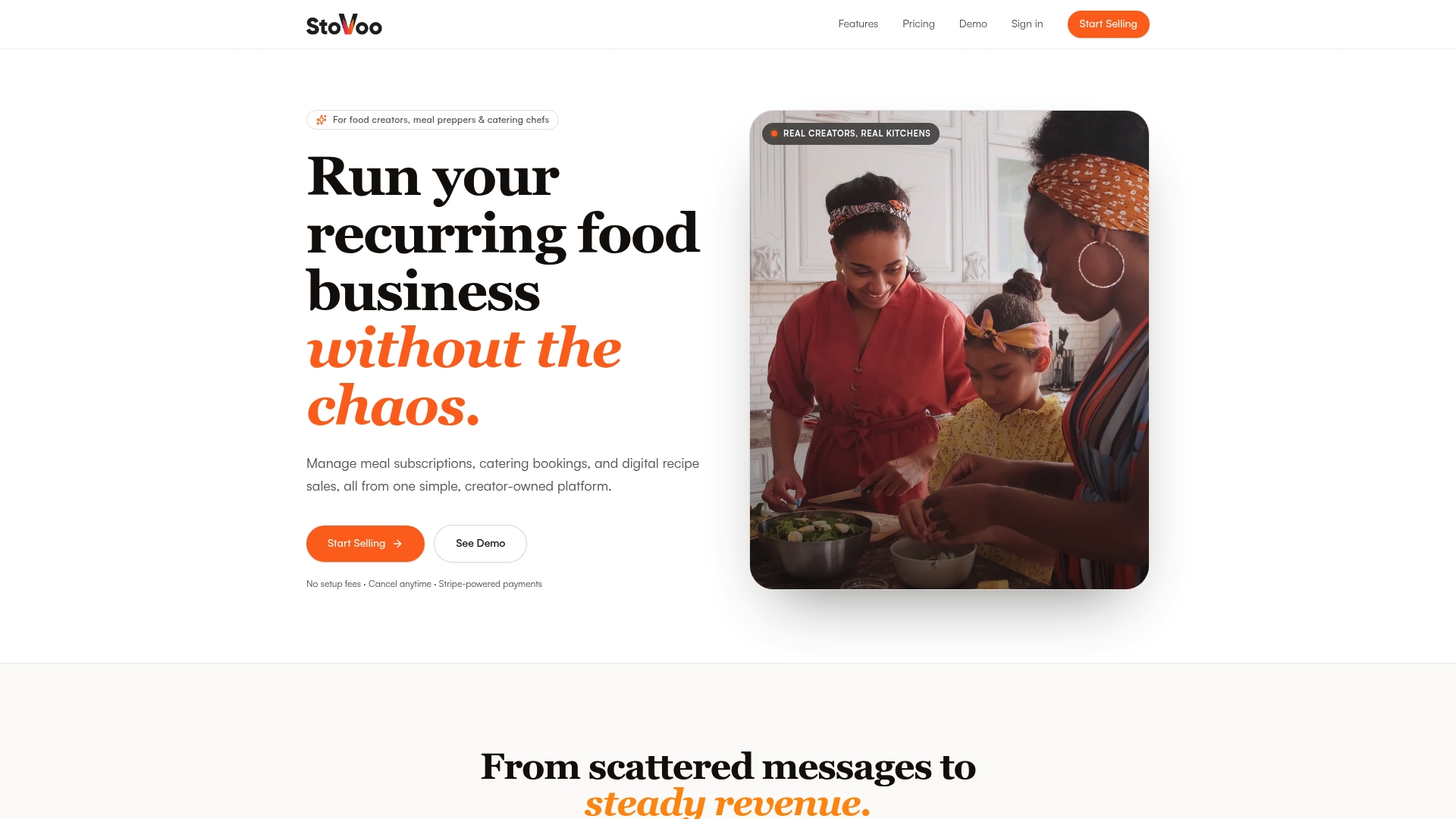
Stovoo builds automated billing directly into the operational tools meal-prep vendors, caterers, and small food businesses already use daily, rather than bolting a separate invoicing tool onto an unrelated system.
- A centralized dashboard manages subscription meal plans, catering bookings, and digital recipe sales in one place
- Recurring billing runs automatically on the cadence you set, without manual invoice generation each cycle
- Mobile-first shopfronts let customers subscribe, pay, and manage their own orders through a self-serve link you control
- Built-in reporting shows subscription revenue and payment status without exporting data to a spreadsheet
A practical pilot: configure one recurring meal plan with autopay enabled, then measure hours saved on invoicing and any reduction in outstanding customer balances over 30 days.
| What you set up | What you measure |
|---|---|
| Recurring meal plan with autopay | Hours spent on manual invoicing before vs. after |
| Self-serve customer shopfront | Number of support requests about billing |
| Automated payment reminders | Days outstanding on customer balances |
Caterers exploring recurring order models often find the billing predictability changes how they plan staffing and inventory, not just how they collect money.
What Food Business Owners Get Wrong About Automation
The biggest hesitation I hear from food business owners isn't cost. It's fear of disruption, the worry that switching billing systems mid-season will break something customers depend on. That fear is reasonable, but it usually leads to inaction long past the point where manual billing has started costing real money.
Start small. Pilot one invoice type or one customer segment before touching your whole operation. Track your before-and-after numbers honestly, even the unflattering ones. The businesses that succeed with automation are the ones that measure first and expand second, not the ones that flip every switch on day one.
— freeman
Try Automated Recurring Billing With Stovoo
Stovoo replaces the spreadsheet-and-messaging-app juggling act with one dashboard where recurring meal plans, catering deposits, and recipe sales all bill themselves on autopilot.
If you're running weekly meal prep, managing catering contracts, or selling recipe subscriptions, a 30-day pilot is enough time to see whether automated billing actually saves the hours you think it will. Set up one subscription plan with autopay enabled, track your invoicing hours and outstanding balances before and after, and see the difference in your own numbers. Look at how vendors like ami in London structure their recurring shopfront offers, or explore Stovoo's shopfront examples to see how a customized storefront presents subscription and catering options to customers. Setting up your own shopfront link takes less time than untangling one week's worth of manual invoices.
Sources
- Recurring payments guide — U.S. Chamber of Commerce
- Automated restaurant invoice management software — WISK
- Invoice matching software for foodservice — Apicbase
FAQ
How Do You Automate a Food Business's Billing?
Start by mapping your current invoice and payment flows, then automate your highest-volume, most predictable transactions first, typically recurring supplier invoices or subscription customers, before expanding to catering and one-off billing.
What Is the Best Billing System for a Small Food Business?
The best system connects directly to your POS, accounting, and inventory tools rather than operating as a standalone app. Platforms like Stovoo build billing into the same dashboard used for orders and customer management, which avoids the double-entry problem that separate tools create.
What Is the Best POS System for a Small Restaurant?
There's no single best POS system across all restaurants since the right choice depends on your integration needs, order volume, and whether you require inventory tracking or multi-location support. Prioritize systems that sync sales, tax, and tip data directly into your accounting and billing tools rather than requiring manual export.
Does Automated Billing Actually Reduce Late Payments?
Yes. Offering autopay and self-serve payment portals shortens payment cycles because customers pay automatically instead of waiting for a reminder, which is why the U.S. Chamber of Commerce recommends scheduled autopay cadence for small business cash flow.
How Long Does It Take to See Results From Billing Automation?
Most operators can measure meaningful results within a 30 to 60 day pilot window, tracking hours saved on manual entry and any reduction in accounts receivable days outstanding.